
If you have undisclosed rental income, the sheer weight of “not knowing” is often worse than the tax bill itself. You might be wondering: How much do I actually owe? How far back will they go? Is there a way to estimate the damage before I talk to HMRC? This is where understanding the Let Property Campaign penalty calculator methodology becomes your most powerful tool. By learning how to calculate these figures, you move from a place of panic to a place of strategy.
In this guide, we will walk you through the exact process of using the Let Property Campaign framework to estimate your liabilities. We’ll cover the difference between tax, interest, and penalties, and provide a step-by-step roadmap to ensure you don’t pay a penny more than is legally required. Whether you are a landlord in Windsor, Oxford, or London, this manual is designed to give you total clarity.
Featured Snippet: What is the Let Property Campaign penalty calculator?
The Let Property Campaign penalty calculator is a framework used to estimate the total cost of disclosing unpaid rental tax. It combines the total tax owed per year, statutory interest (calculated from the date the tax was due), and a percentage-based penalty (0%–100%) determined by the taxpayer’s behavior and the timing of the disclosure.
Understanding the “Cost” Pillars of a Disclosure
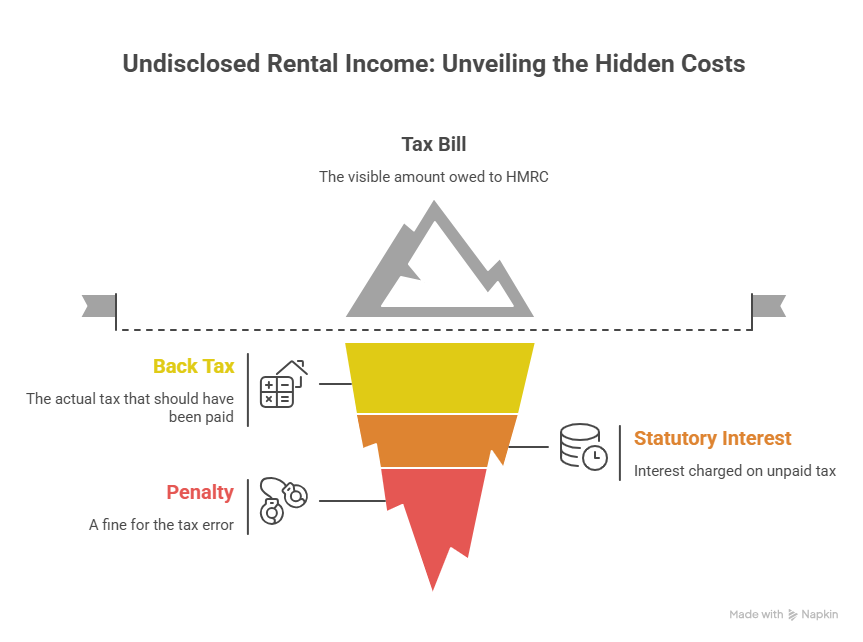
Before you start plugging numbers into a spreadsheet, you must understand that your final bill to HMRC isn’t just one number. It is built on three distinct pillars. If you miss one, your estimate will be dangerously low.
Pillar 1: The Back Tax (The Principal)
This is the actual amount of tax you should have paid on your rental profits. To find this, you must take your gross rental income and subtract “allowable expenses” (like repairs, insurance, and management fees). If you are a higher-rate taxpayer, you also need to account for the mortgage interest tax credit restrictions (Section 24).
Pillar 2: Statutory Interest
HMRC views unpaid tax as an interest-free loan you took from the government. To rectify this, they charge interest from the date the tax should have been paid until the date you actually pay it. With interest rates currently at decade-highs, this can add 20% or more to an old tax debt.
Pillar 3: The Penalty
This is the “fine” for the error. The percentage is applied to the tax amount (not the interest). This is the area where a specialist accountant provides the most value, as we can often argue for lower categories based on your circumstances.
Step-by-Step: How to Use the Penalty Calculator Framework
Since HMRC does not provide a single “one-click” calculator that handles every nuance, you must follow this structured framework to get an accurate estimate.
Step 1: Determine the Relevant Tax Years
How far back are you going?
- 4 Years: If you took “Reasonable Care” but made an honest mistake.
- 6 Years: If you were “Careless.”
- 20 Years: If the non-disclosure was “Deliberate.”
Step 2: Calculate Annual Net Profit
For each year, list your gross rent. Subtract your allowable expenses.
Note: Do not subtract the full mortgage payment. You can only deduct the interest element (and for individuals, this is now a 20% tax credit rather than a direct deduction from income).
Step 3: Determine Your Tax Band
Your rental profit is added to your other income (Salary, Dividends, etc.). If your total income crosses the £50,270 threshold (for 2025/26), you will owe 40% tax on the portion of rental profit sitting in the higher-rate band.
Step 4: Apply the Penalty Percentage
Use the table below to decide which percentage to apply to your tax total.
| Behavior | Unprompted (You told them) | Prompted (They found you) |
| Reasonable Care | 0% | 0% – 30% |
| Careless | 0% – 30% | 15% – 30% |
| Deliberate | 20% – 70% | 35% – 70% |
Step 5: Calculate Interest
You must apply the HMRC late payment interest rate to each year’s tax. Because rates change, it is best to use a specialized interest calculator or ask your HMRC Let Property Campaign expert in Slough to run the professional software.
Strategy Framework: Minimizing the “Penalty” Variable
The penalty is the only part of the equation that is negotiable. To minimize this, you must demonstrate the “Quality of Disclosure.”
- Telling: Did you tell HMRC everything, or did you wait for them to ask?
- Helping: Did you provide your spreadsheets and receipts quickly?
- Giving Access: Did you allow HMRC to check your records?
Landlords in Reading and London who provide a “Full and Unprompted” disclosure can often see their penalties for carelessness reduced to 0%.
Real-World Example: The “Careless” Disclosure
Imagine a landlord in Oxford who didn’t declare £10,000 in rental profit per year for the last 4 years. They are a basic-rate (20%) taxpayer.
- Tax Owed: £2,000 per year x 4 years = £8,000
- Interest: (Estimate) £1,200
- Penalty (Unprompted/Careless): Let’s say 10% = £800
- Total Bill: £10,000
If this same landlord had waited for a “nudge letter,” the penalty could easily double or triple, and HMRC might insist on looking back 6 or 20 years instead of 4.
Pros and Cons of DIY Calculation vs. Professional Assistance
DIY Calculation
- Pros: Free; gives a rough “ballpark” figure immediately.
- Cons: High risk of missing tax credits; often results in overpaying tax or underestimating penalties; no protection if HMRC challenges the figures.
Professional Specialist (Felix & Co.)
- Pros: Access to professional-grade Let Property Campaign penalty calculator software; expert negotiation of penalty categories; identifying obscure allowable expenses (e.g., specific proportions of home office/travel).
- Cons: Upfront accountant fee. However, the tax savings usually far exceed the fee.
Why Location Matters: High-Value Service Areas
If you own property in Windsor or London, the stakes are higher. Rental yields are higher, and the likelihood of being pushed into the 40% or 45% tax bracket is almost certain. In these areas, HMRC’s “Connect” system is particularly aggressive in cross-referencing Land Registry data with high-value stamp duty records.
Our specialists in Reading, Slough, and Oxford understand the local market nuances, such as HMO (House in Multiple Occupation) regulations and how they impact your “Allowable Expenses” calculation.
Overview: Quick Calculator Summary
- Formula: (Back Tax) + (Interest) + (Penalty %) = Total Liability.
- Penalty Range: 0% to 100% of the tax due.
- Interest: Always mandatory; currently based on base rates + 2.5%.
- Timeline: You have 90 days to pay once you notify HMRC of your intent to disclose.
- Expert Advice: Always aim for “Unprompted” status to keep penalties at the minimum floor.
FAQ: People Also Ask
1. Can I use an online calculator for the Let Property Campaign?
There are basic tools online, but they rarely account for the complexities of Section 24 mortgage interest restrictions or changing interest rates. For an accurate disclosure, a manual calculation by a specialist is recommended to avoid HMRC rejecting your figures.
2. What happens if the calculator shows I owe more than I have?
Do not let this stop you from disclosing. Once the liability is calculated, we can help you negotiate a “Time to Pay” arrangement with HMRC, allowing you to pay the debt in monthly installments.
3. Does the penalty apply to the interest as well?
No. The penalty percentage is only applied to the “Tax Lost” (the principal). Interest is a separate charge that is added to the total.
4. How does the “10% rule” work for offshore property?
If the property is abroad, the rules change. Penalties for offshore income can be significantly higher (up to 200%) depending on the “territory” and the information-sharing agreements in place.
5. If my calculator shows £0 tax due, do I still need to disclose?
If your expenses and personal allowance mean no tax is due, you may not need to use the campaign, but you should still ensure your records are up to date. Making a “Nil” disclosure can sometimes be a strategic move to prevent future HMRC inquiries.
6. Is the calculator different for prompted disclosures?
The formula is the same, but the “Penalty %” will have a higher minimum. For example, a careless mistake that is prompted has a minimum penalty of 15%, whereas an unprompted one can be 0%.
From Uncertainty to Action
Using the Let Property Campaign penalty calculator methodology is the first step toward taking back control of your finances. While the numbers might seem daunting, remember that HMRC rewards those who come forward. By identifying your tax, interest, and penalty liabilities now, you can build a disclosure that is accurate, honest, and optimized to save you money.
Don’t let the fear of a calculation keep you in the dark. Whether you are in Slough, Windsor, or London, the best time to calculate your disclosure was yesterday; the second best time is today.
Stop guessing and start solving.
SCHEDULE A CALL WITH OUR SPECIALISTS We help you protect your reputation and pay only what you legally owe.